Take Your POS & Inventory Reporting To The Next Level
Smart Reporting Capabilities
Behind every great report is a great planner. Someone who knows what questions to ask and how to align data to answer them. At ERS, we live and breathe reports.
But what makes a report great? It comes down to how often it gets used and how much insight it provides. We strive not only to make great reports – but
smart reports. Reports that do the thinking for you or point you in the right direction.
Do your reports do that?
Anatomy of A Smart Report
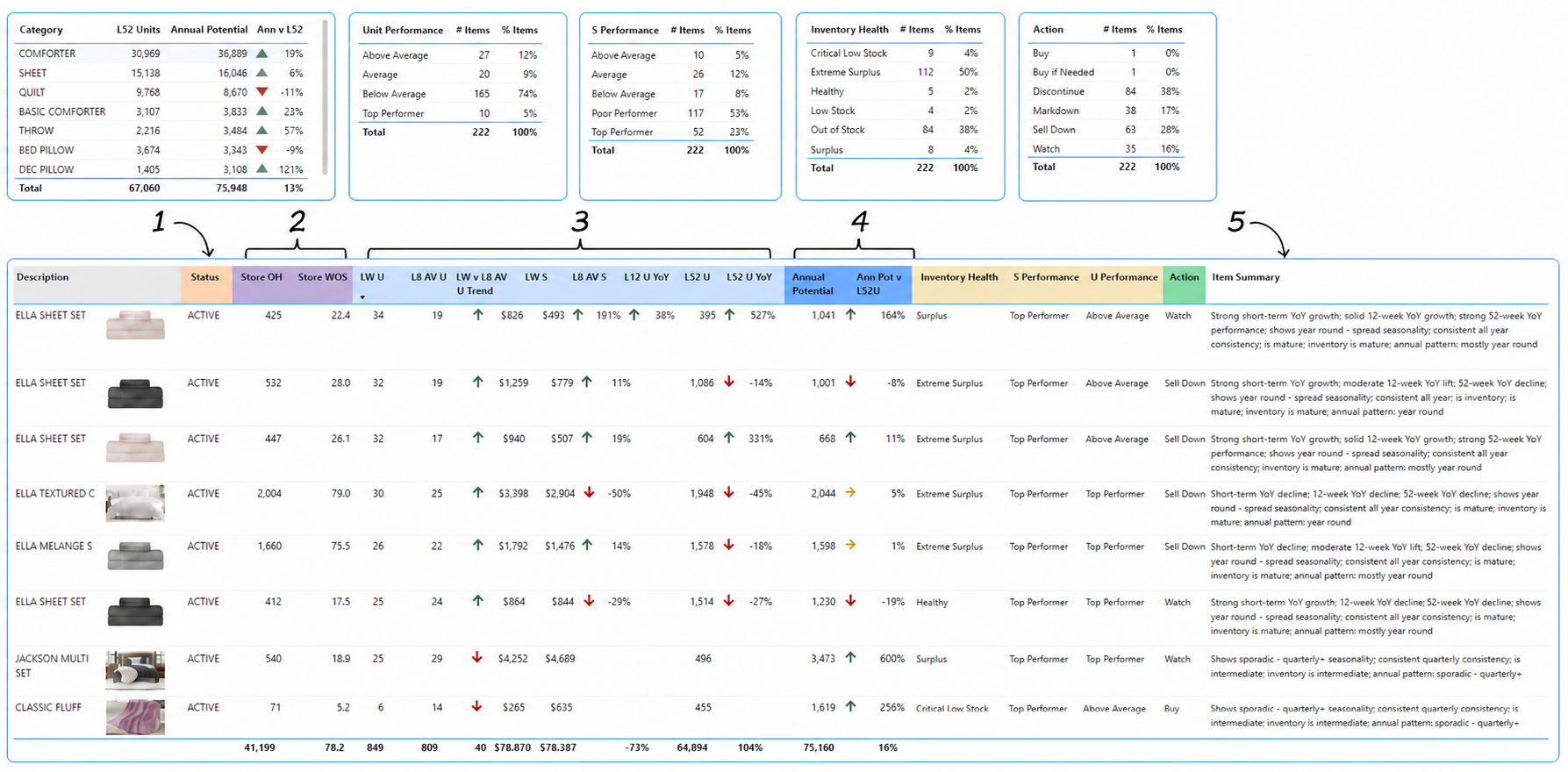
These 5 must-have features are the key to getting the most use out of your reports.
Drill From Summary to Item-Level Detail
Smart Reporting gives users a high-level view of item performance, but the report does not stop there. Users can drill from the main performance page into deeper item profile or forecast views, making it easier to understand what is driving the recommendation and what action may need to be taken.

Right-click the Item ID, Description, or Annual Potential field and choose the Item Profile or Item Forecast drill-through view.

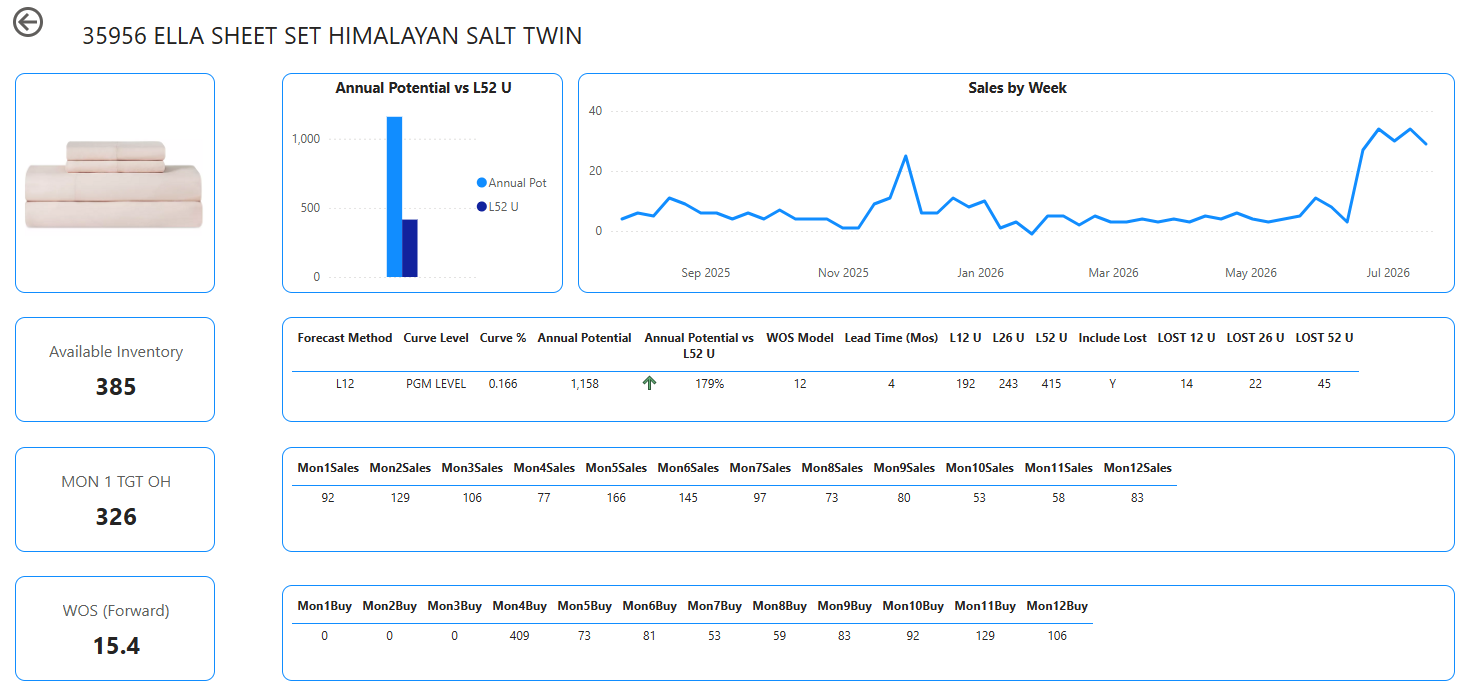
After reviewing the item-level detail, return to the main performance page and continue reviewing the items that need attention.
Curated. Actionable. Retail and Wholesale Ready.
This is what modern inventory planning should look like – everything you need to plan and manage inventory in one place.
The Launchpad
The start page- fully customizable for your business- shows the key information you need: sales and inventory. Year over year, week over week, any time period. Custom attributes and channel information. Buttons take you directly to the functions you need.
Monthly Forecast Flow
Projected inventory by month with estimated sales and recommended buys. Lead time, ATS & WIP, seasonality and other smart features make it accurate and easy to use. A Buy Sheet that contains units, cost and whatever information you need to place orders.
Alerts
In any BI report, create notifications based on criteria and receive an email or chat notification when the criteria are met. For example, the notification on the right was triggered once sales units for this particular product exceeded 20,000 units.
Store Penetration
Shows how many stores sold a new item for the first time, as well as the time it takes to penetrate a retail chain. For example, an item may have shipped to 1000 stores, and in the 1st week only 100 stores sold that item. In the next week, another 200 stores started selling, and so on.
Store penetration is also good for judging items against each other. For example, one item could have 50% penetration in only 2 weeks, while others take 5 weeks.
Top and Bottom
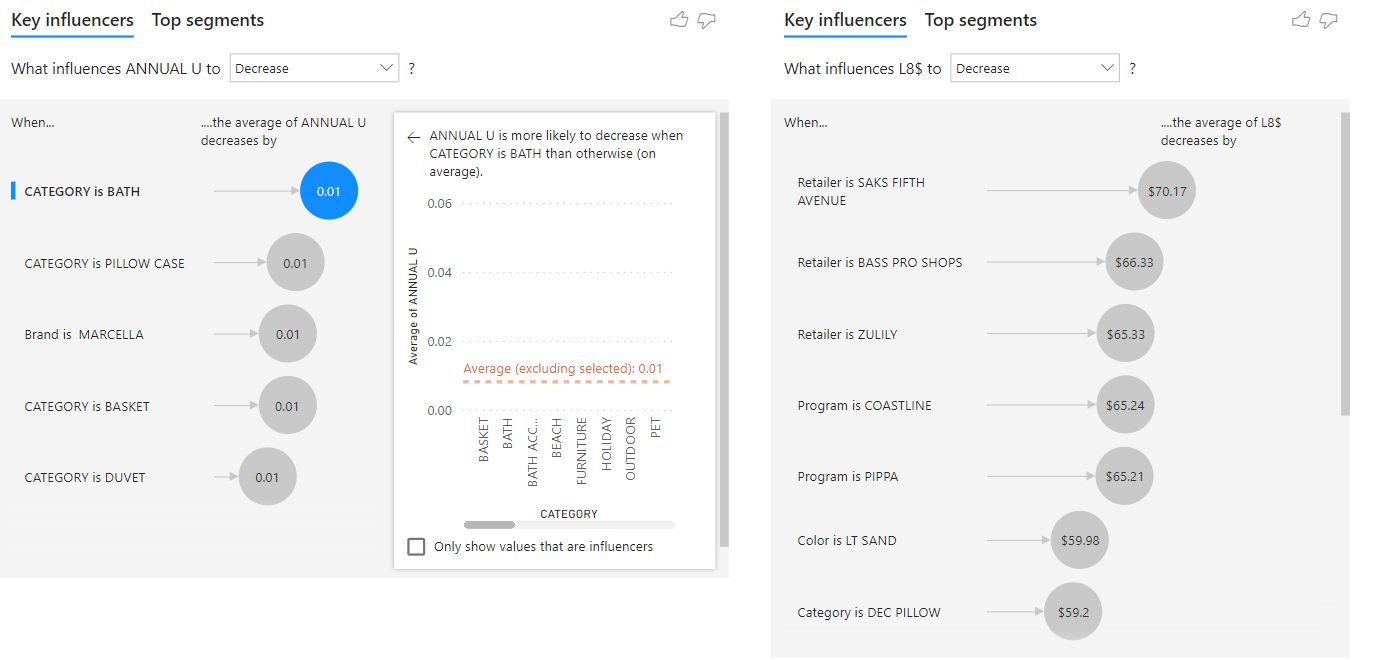
Highlights the top and bottom performers with recommended actions and grades. Makes more use of the AI visualizations to help determine why. they perform the way they do.
Future Lost Sales
It’s important to know how much business you’re going to miss when inventory is not available. This both helps prevent future stock issues but also helps improve sales planning.
Customized Dashboards that Aren’t Just Pretty
We will design customized dashboards to help you answer questions about your business. Let the intelligence comb through your millions of lines of data to make recommendations on how to improve your business. All are created to spur on action- unlike static reporting that just gives you information.
Get the Big Picture
Get a handle on your business. This one scorecard gives you everything you need to get a handle on your business. Is your team spending hours putting this information together? This automatically refreshes each week- giving them all the time back to take action rather than building reports.
Pinpoint Opportunities and Liabilities
Quickly learn which new items are performing best, which items have the most sold out stores, which items have too much inventory and any other key factor important to optimizing your business. Add geography and demographics to learn even more.
Using the Influencer AI visualization in Microsoft PowerBI enables you to unlock patterns in your data you may not have known existed.
Improve Pricing Strategy
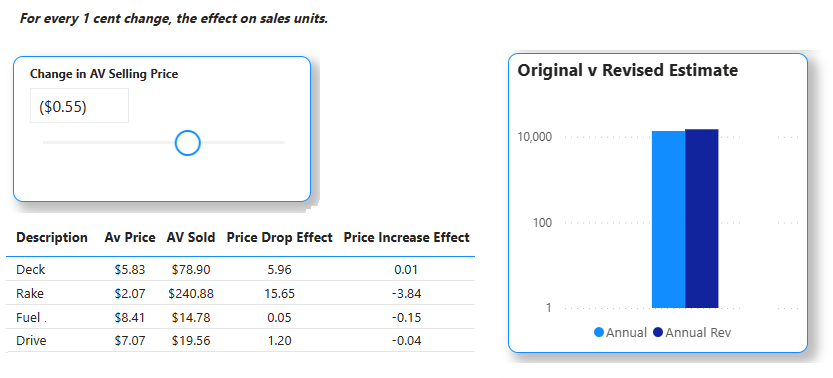
This dashboard studies your history to understand what effect prices have on your sales and predict future sales and revenue based on it. It will automatically adjust the forecast based on promotional activity.
Watch it in Action
Business Overview Videos
Part 1: Watch a demonstration of the ERS Retail and Wholesale Analytics modules including Business Overview, Scorecard, Top & Bottom Items, Smart Item Performance, Ad-Hoc Report Builder, New Product Introduction Performance Over Time, New Item Store Penetration.
Part 2: Demographic Profiling, Promotion Viability, Multi Week Tracking, Year over Year tracking, Regional Analysis, Color & Size Ratios.
See Your Smart Reports in Action
Smart Reporting explains the reports ERS can create and the insights those reports can surface. BI Dashboards show how those reports come together in a more visual, interactive experience, helping teams review performance, monitor items, and act on the information faster.
A paradigm change in reporting
We built a system that does the analysis for you.
Contact ERS today to improve your decision-making abilities with better, smarter retail sales and inventory reporting. We’ll help you gather your data – anything ranging from EDI 852, Web Portals, Excel Files, to Text Files – and then provide seamless reporting and analytics from it.