
Open to Buy
One of the most essential functions in retail inventory planning just got easier.

What is Open to Buy?
Balance inventory investment with projected demand using a flexible Open to Buy solution that helps buyers make smarter purchasing decisions.
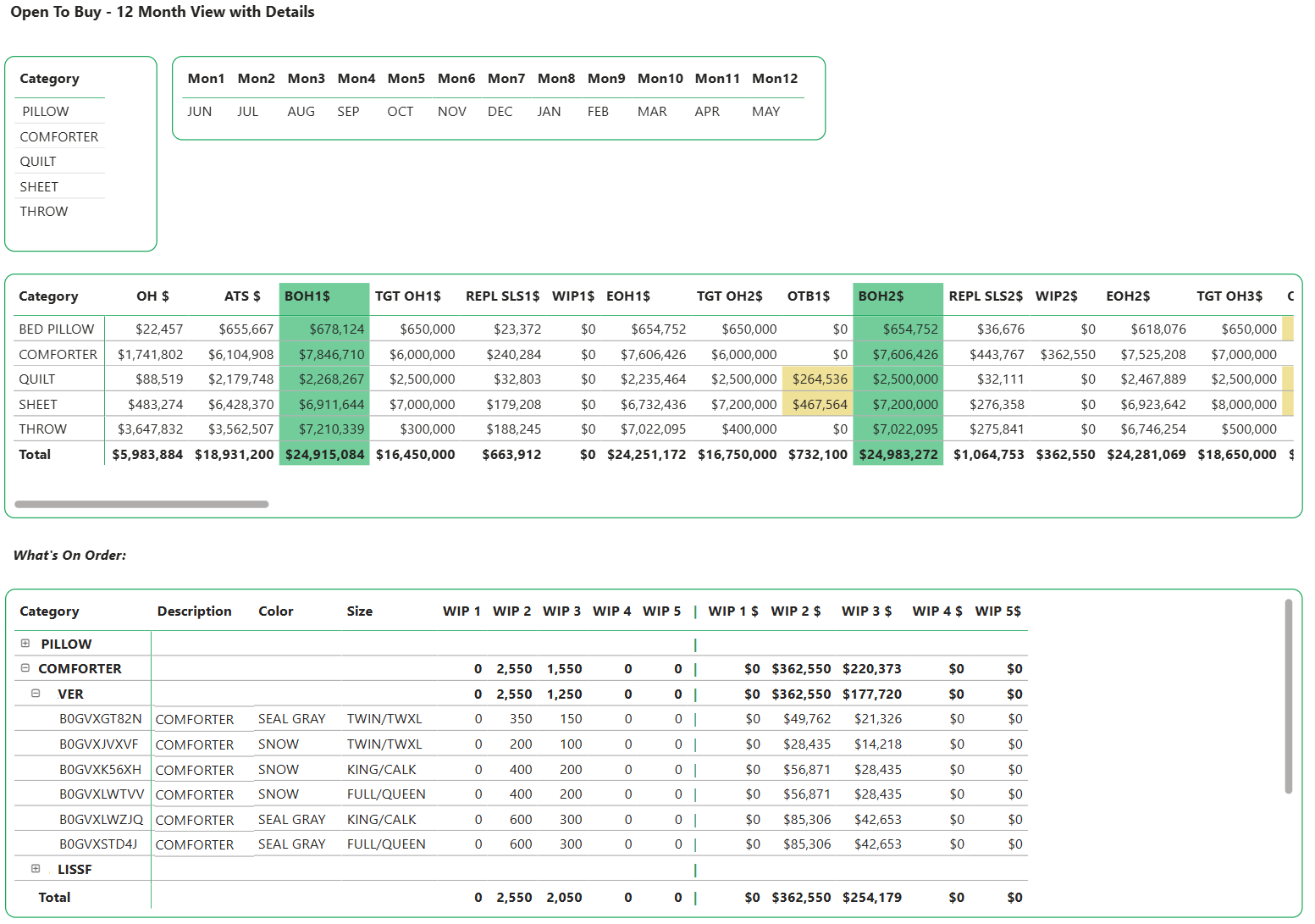
First, import a budget by brand, category, department, class, etc. Then, see how it lines up against Retail On Hand, Wholesale Available to Sell, On Order, and Sales by Month forecast.
Combining the strength of ERS’ backend data management and intelligence with Microsoft’s Power BI enables retailers and manufacturers to manage inventory budgets not possible with spreadsheets.
Core Features
Fully Customizable Views
Open to buy views are customized to each client’s needs. Budgets are linked to sales and inventory forecasts. Designed to be used by retailers or wholesalers, or in collaboration. Click any element to drill down and see which items within the brand or category are overstocked or understocked. Integrates with existing ERS modules, such as Inventory Health, for quick diagnosis of opportunities or liabilities.
Easy Import and Management of Budgets
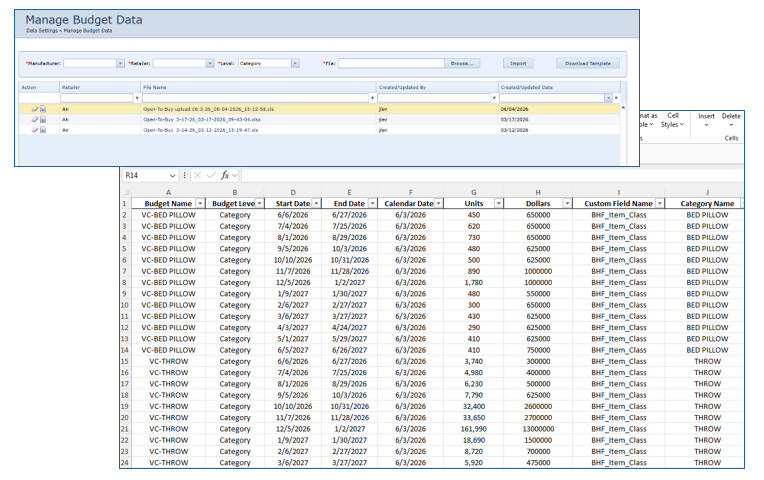
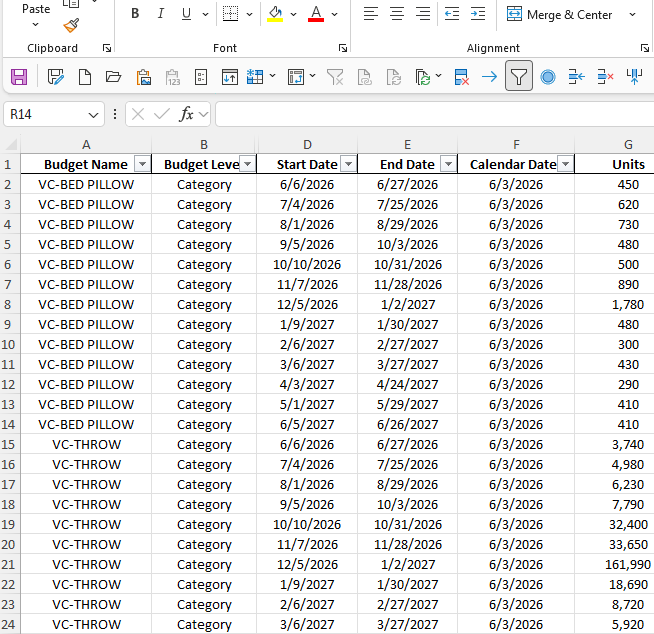
Budgets can be imported and managed at various levels using a provided spreadsheet template. You can even have multiple budgets for the same category/brand, etc., to conduct “what ifs” or for comparative purposes.
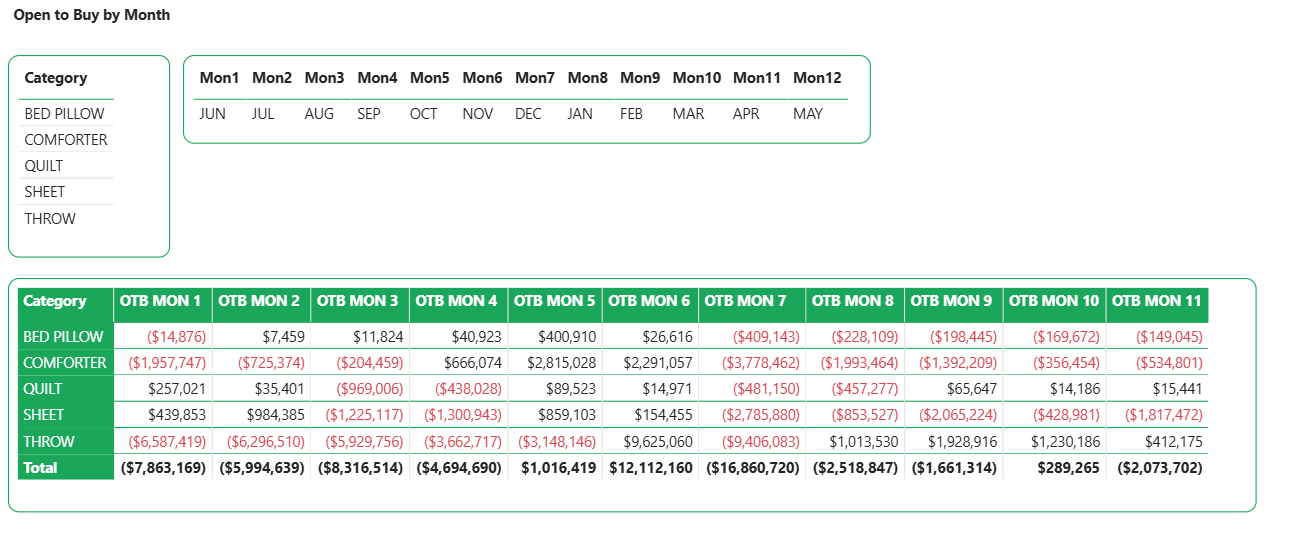
See where (and when) there’s money to spend or when you’re over.
Turn Open to Buy Into an Active Planning Tool
Traditional Open to Buy planning often depends on static spreadsheets and data from separate systems. ERS brings budgets, forecasts, actual sales, retail inventory, wholesale inventory, and planned receipts into one dynamic view.
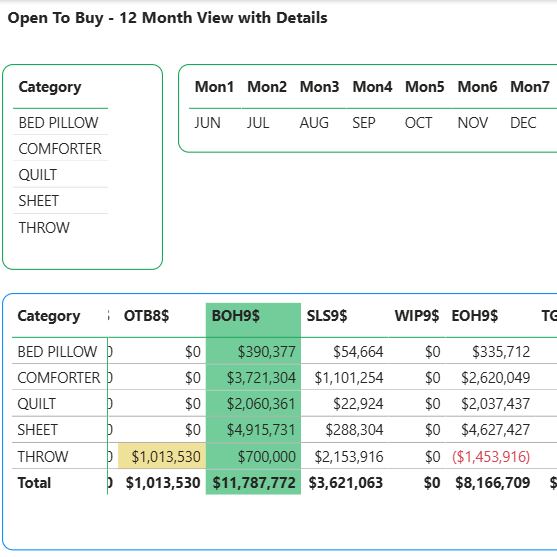
As conditions change, buyers can see how much remains available to invest, where inventory risks are developing, and which purchasing decisions best support future demand. The result is a more responsive planning process that protects inventory dollars without limiting growth.
See Open to Buy in Action
Discover how ERS can help your team replace spreadsheet-based planning with a clearer, more connected view of inventory investment.